
AI Desktop
Any AI agent that can run commands and look at an image can see your screen through a coordinate grid and control the mouse, keyboard, clipboard, and windows. It can even drive your real, signed-in Chrome.
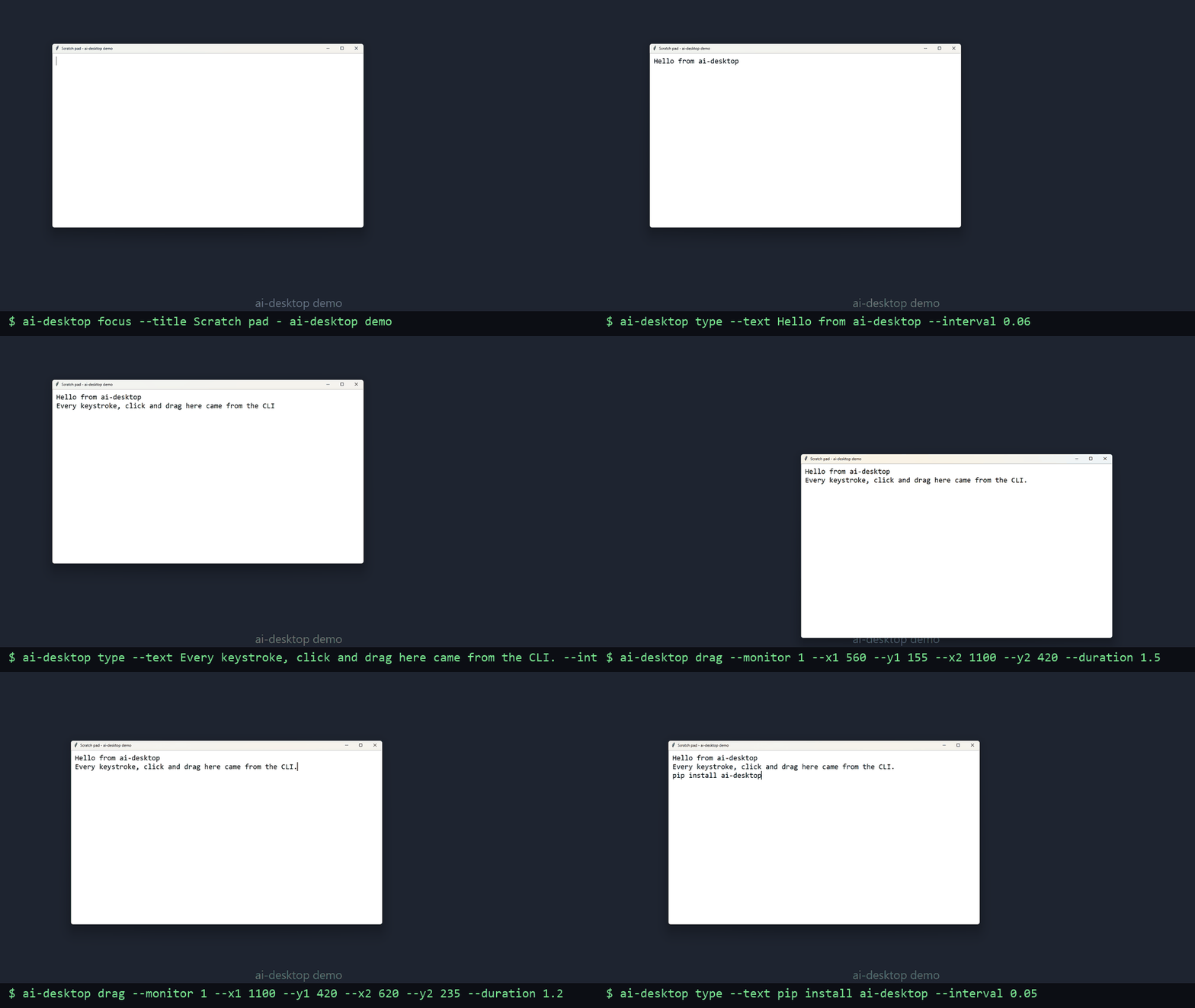
AI Desktop typing into a window and dragging it around, every action from the command line.
Eyes and Hands for an AI Agent
AI Desktop takes a screenshot with a labeled coordinate grid, so the agent can read a position off the picture and click, type, drag, scroll, copy, or paste at exactly that spot. It lists and focuses windows, works across several monitors, and opens your normal Chrome with your existing logins. Every command answers with one line an agent can parse, or JSON.
The Agents You Already Use
Coding agents that run in a terminal or editor, such as Claude Code, OpenAI Codex CLI, and Gemini CLI, can drive it directly, and it also runs as an MCP server, so the screenshot arrives in the model's context without opening a file. It runs on Windows, macOS, and Linux, including native Wayland, with no server to host.
A Log of Everything, and an Off Switch
Every action is written to a log with its arguments, result, and timing, so a session can be replayed. Typed and copied text is not stored unless you turn that on. Push the mouse into any corner of the screen and the current and every following command aborts. It is still a tool that controls your whole desktop, so run it only with an agent you trust and watch what it does.
MIT Licensed, One Python File
The core is a single Python file with two dependencies, released under the MIT license. Install it from GitHub today; a release on PyPI is coming.
pip install git+https://github.com/MichaelDKulka/ai-desktopMore Automation Tools Are Coming
AI Desktop is the first of several general automation tools we are building, aimed at the repetitive work most businesses still do by hand.
Available Now
AI Desktop: let an AI agent see and operate a desktop. Free, open source, Windows, macOS, and Linux.
In Development
General-purpose automation tools built on the same foundation. They are in development, so there is nothing to announce yet. Get in touch if you would like to hear when they are ready.
Built for Your Business
When the general tools are not enough, we build automation around your exact workflow, systems, and apps. See automation.